Audio and Networks
Mesh Wi Fi and Ceiling Access Points for Better Coverage
Compare mesh Wi-Fi and wired ceiling access points, and plan coverage for cameras, music, and smart-home devices without speed promises.
2 min read
Coverage and internet speed are different
A faster internet plan cannot solve every weak-signal problem inside a home. Walls, distance, interference, equipment placement, and the client device affect performance. Start by identifying where connections drop and what is happening there: video calls, camera uploads, streaming, or everyday browsing.
Compare the connection paths
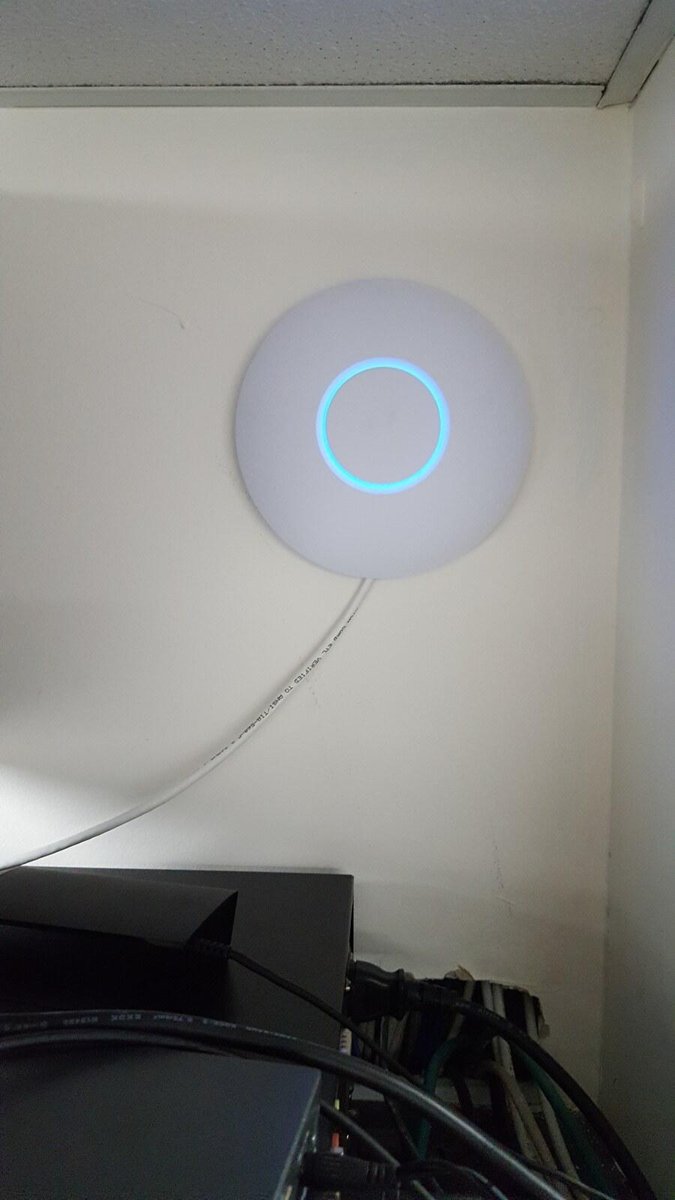
A mesh system can extend coverage using multiple nodes. Where supported, wired backhaul gives those nodes a cable connection instead of relying only on wireless links between them. Ceiling access points connected by Ethernet can provide another useful design, especially when wiring can be installed during construction. Neither label guarantees a particular speed in every room.
Plan equipment as a system
The router, switch, cabling, access points, and devices need compatible settings and adequate capacity. Power over Ethernet requirements must be checked for each access point. Network separation can help organize guest access and smart-home devices, but overly restrictive settings can break discovery or control features. The final configuration should be tested with the devices that matter.
Bring the real use cases
Tell us where you work from home, where TVs stream video, and where outdoor cameras or smart devices connect. Include any detached areas that need service; they may require a different connection method. Share the internet provider equipment and the speeds you currently receive by wired connection when available. That baseline helps distinguish a provider issue from an indoor coverage issue. Testing after installation should be performed in the intended locations rather than only next to the router.
Measure after installation
Useful testing includes coverage in bedrooms, the lanai, garage, and other intended areas, plus roaming and stability where relevant. VoltWave Electric can review network wiring and access-point placement for Cape Coral and Southwest Florida homes. We focus on the actual building and equipment rather than promising that one router will cover every property.
Planning home network wiring in Fort Myers
For a Fort Myers home network project, identify rooms, lanai areas and garage spaces where reliable coverage matters. Share the existing router and access-point models so wired connections and device placement can be evaluated without assuming a particular internet speed throughout the property.
Discuss your project with VoltWave ElectricCommon questions
Is mesh always wireless?
No. Many mesh systems support Ethernet backhaul, but this depends on the product.
Will a ceiling access point guarantee my full internet speed?
No. Real performance depends on the entire network, environment, and connected device.
Planning a project?
Schedule a consultation with VoltWave Electric or contact us to request an estimate. Share your city, the service you need, and a few project photos so we can discuss the next step.